Google updated its core Privacy Policy with an effective date of October 16, 2026. One important change concerns how information from Gmail, Google Drive, and Google Photos may be used for personalized advertising when you choose to make that information available to other Google services.
The wording deserves attention, but it is important to understand exactly what Google says, what the change means, and which settings you can adjust to control how your information is used.
1. What Actually Changed?
Google’s updated Privacy Policy includes this statement:
“We don’t show you personalized ads based on your content from Drive, Gmail, or Google Photos, unless you choose to make data from these services available to other Google services that support personalized ads.”
The important addition is the exception at the end.
Previously, the statement did not include this exception. The revised wording makes clear that the restriction on personalized advertising based on content in these services is conditional when users choose to make information available to other Google services that support personalized ads.
Why does this matter?
Google offers features that can connect information across its services. Depending on your eligibility and settings, products such as Google Search and Gemini can use information from connected services to provide personalized responses.
For example, Google’s documentation describes experiences in which connected information can help Search or AI features provide answers tailored to your circumstances.
Google’s policy also says that Search may process information you allow it to access to personalize content, including advertisements.
This is the key privacy issue: information you choose to connect across Google services may be processed under the policies and settings that apply to the service receiving that information.
However, the policy does not say that every email, photo, or document is automatically used to select advertisements.
It is important to distinguish between making information available to an AI service, that service processing the information, and information being used for advertising. These are related, but they are not identical activities.
2. Does This Mean Google Is Reading Your Entire Inbox to Sell Ads?
Not necessarily, and the policy does not establish that conclusion.
Google says Gmail does not scan or read your messages to show you ads. Its updated policy nevertheless includes an exception when you choose to make data from Gmail, Drive, or Photos available to other Google services that support personalized advertising.
Google’s documentation describes connected-app features that can process information from emails, files, photos, and other sources to personalize AI experiences.
Google also states that it does not share information that personally identifies you, such as your name or email address, with advertisers unless you ask it to.
These statements do not mean that no information derived from connected content can influence advertising. The updated policy explicitly allows for that possibility under the stated condition.
The distinction is important: advertisers receiving an advertisement targeted to an audience is not the same thing as advertisers receiving direct access to your private inbox or photo library.
The policy update should not be described as proof that Google has given advertisers unrestricted access to your personal files.
Instead, the concern is that connecting personal information to other Google services can permit additional uses of that information, depending on the service’s policies and settings.
3. How Personal Intelligence and Connected Apps Fit In
Google offers AI experiences that can use information from connected Google apps to provide more personalized assistance.
Depending on your eligibility, region, and settings, these experiences may include connections involving Gmail, Google Photos, Google Search, and Gemini.
Imagine asking an AI assistant to help organize a trip.
If the relevant services are connected and the feature supports it, the assistant might use information from your email or other connected sources to provide a more personalized response.
Google’s documentation explains that connected information can include emails, files, events, photos, and insights derived from that information.
The advertising question arises because Google’s Privacy Policy says information made available to other Google services that support personalized advertising may fall within the stated exception.
However, we should not assume that every connected-app feature uses information for advertising or that every AI-generated summary automatically becomes part of an advertising profile.
The specific service, your settings, and the applicable policies matter.
Also, connecting apps to an AI service may have implications beyond advertising. Google’s Gemini documentation explains that certain connected-app data may be used to improve Google services, including training generative AI models. A subset of processed information may also be reviewed by human reviewers for purposes such as improving service quality and safety.
Those practices are described in Google’s Gemini documentation and should not be confused with a claim that every piece of information connected to Google Search is used for AI training.
4. What About Sensitive Personal Information?
Google’s Privacy Policy says it does not show personalized advertisements based on sensitive categories such as race, religion, sexual orientation, or health.
That is an important stated restriction.
However, it should not be interpreted as a promise that Google never processes sensitive information in any context.
Google’s connected-app documentation acknowledges that information shared with Gemini may relate to sensitive subjects, including health, race, and religion.
Processing information to answer a question is different from using sensitive information as a basis for personalized advertising.
For that reason, it is best to understand Google’s stated advertising restrictions alongside the separate rules governing how connected information is processed, retained, and used to improve services.
If you are uncomfortable allowing an AI service to process sensitive information from your personal accounts, review its connected-app settings before enabling the feature.
5. Three Ways to Manage Your Privacy
There is no single setting that controls every type of data processing across every Google product.
Instead, review three separate areas.
Option One: Disconnect Apps You Do Not Want Connected
If you do not want an AI service to access information from Gmail, Google Photos, or other connected apps, review its connection settings.
For Google Search:
- Sign in to your Google Account.
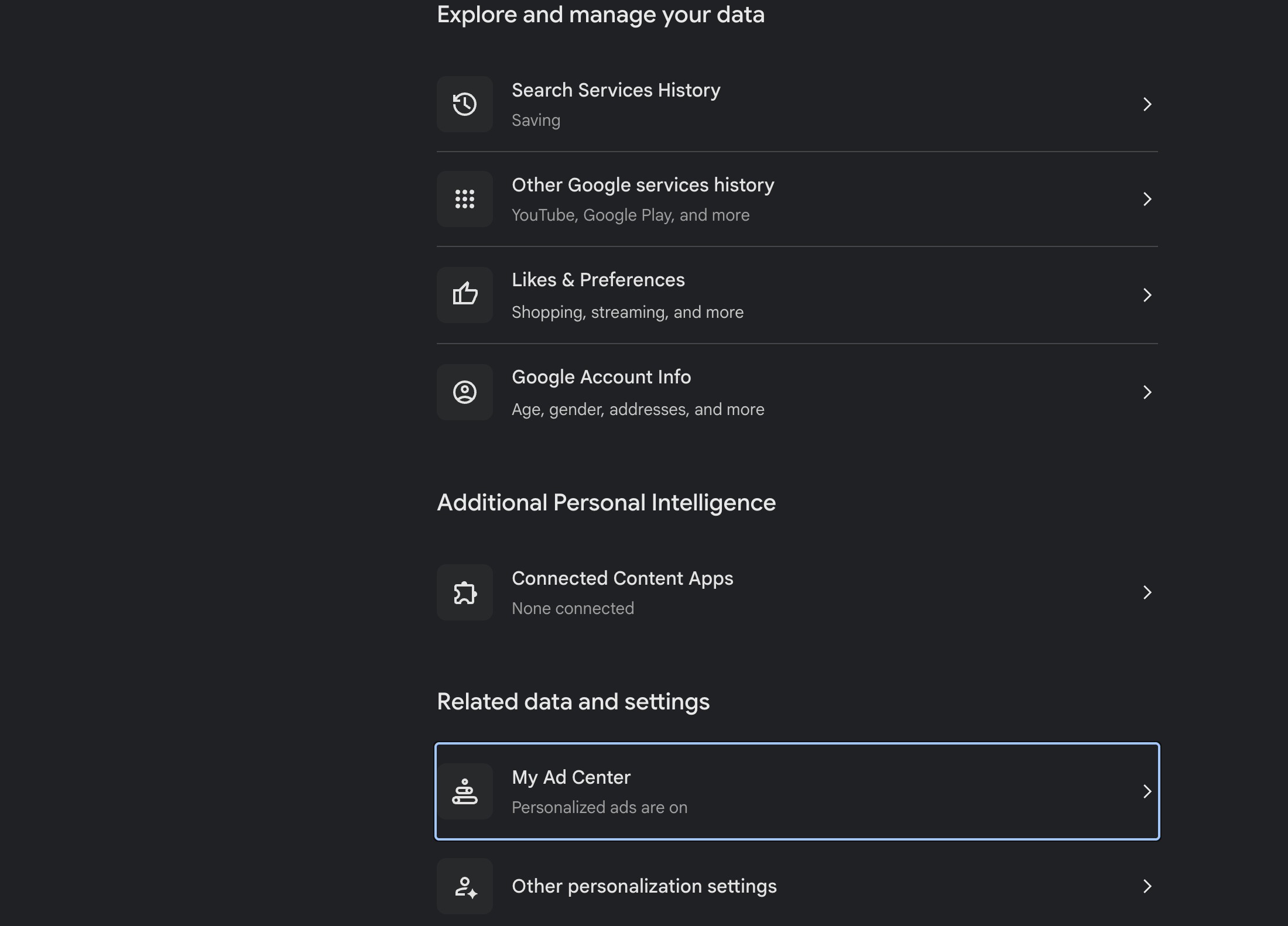
- Open Data & privacy.
- Select Personalization settings.
- Look for Personalized Recommendations in Search services and the related connected-content settings.
- Review which apps are connected and disconnect those you do not want to share information with, if the relevant controls are available.
You can also review Personal Intelligence and Connected Apps in Gemini’s settings.
Google is gradually updating its Search settings, so the exact menu names and options may vary by account.
Official Google Search settings information:
Official Gemini Connected Apps information:
Disconnecting an app can restrict future access through that connection. However, disconnecting it does not automatically delete previously saved activity or information retained elsewhere.
Option Two: Turn Off Personalized Advertising
If you want to limit the use of your Google Account information for personalized advertising, visit My Ad Center.
Steps:
- Open Google’s My Ad Center.
- Find the Personalized ads control.
- Turn personalized ads off, if the option is available.
- Confirm your choice.
Official settings:
Google says that when personalized ads are turned off, information and activity saved to your Google Account will not be used to personalize ads on Google services.
You may still see advertisements. Those ads can be selected using contextual factors, such as the subject of the content you are viewing, rather than your saved account activity.
Be aware that turning off personalized advertising does not automatically disconnect apps from AI services, delete your Search history, or disable every form of personalization across Google products.
Those are separate controls.
Option Three: Review and Delete Saved Activity
If you have previously used connected AI features, you may also want to review your saved activity.
Visit Google My Activity:
From there, you can review available activity, filter it by product or date, and delete items or groups of activity.
You can also review the activity controls associated with Search and Gemini.
Google explains that disconnecting an app does not automatically delete Gemini Apps Activity. Similarly, deleting activity in one Google service does not necessarily delete information stored in another service.
Your Gmail messages, Drive files, and Photos library are managed through their respective products.
For that reason, review both your saved activity and the settings for the individual services you use.
6. What Should You Do?
Your next steps depend on how you want to balance convenience and privacy.
If you value personalized AI assistance, you may decide to keep certain apps connected while reviewing how their information can be used.
If you want to limit personalized advertising, you can turn off personalized ads separately.
If you prefer not to have an AI service draw on your personal emails or photos, review and disconnect the relevant apps.
You can also review and delete saved activity that you no longer want associated with your account.
These choices address different aspects of your privacy, so do not assume that changing one setting automatically changes all the others.
One additional consideration: Google’s Personal Intelligence beta documentation distinguishes personal Google Accounts from Workspace business, enterprise, and education accounts. Organizations may have different product availability and administrative controls, so users should consult their organization’s policies and Google’s applicable Workspace documentation rather than assume that every account is affected identically.
Final Thoughts
Google’s October 16, 2026 Privacy Policy update adds an important qualification to its statement about personalized advertising based on content from Gmail, Drive, and Photos.
The policy says that information from those services may be made available to other Google services that support personalized ads when you choose to enable the relevant connection.
That does not establish that Google has opened every inbox or photo library to advertisers. It does mean that users should understand what they are connecting, which services can access that information, and how the receiving services may use it.
The most useful steps are straightforward:
Review your connected apps.
Check your personalized advertising settings.
Review and delete saved activity when appropriate.
And remember that disconnecting an app, turning off personalized ads, and deleting saved activity are three different actions.
Your privacy settings are worth reviewing periodically, especially as new AI features and cross-service integrations become available.
If you found this breakdown helpful, subscribe for more practical explanations of technology, AI, and digital privacy. Share this video with someone who wants to better understand how their personal information is used online.
Thanks for watching.