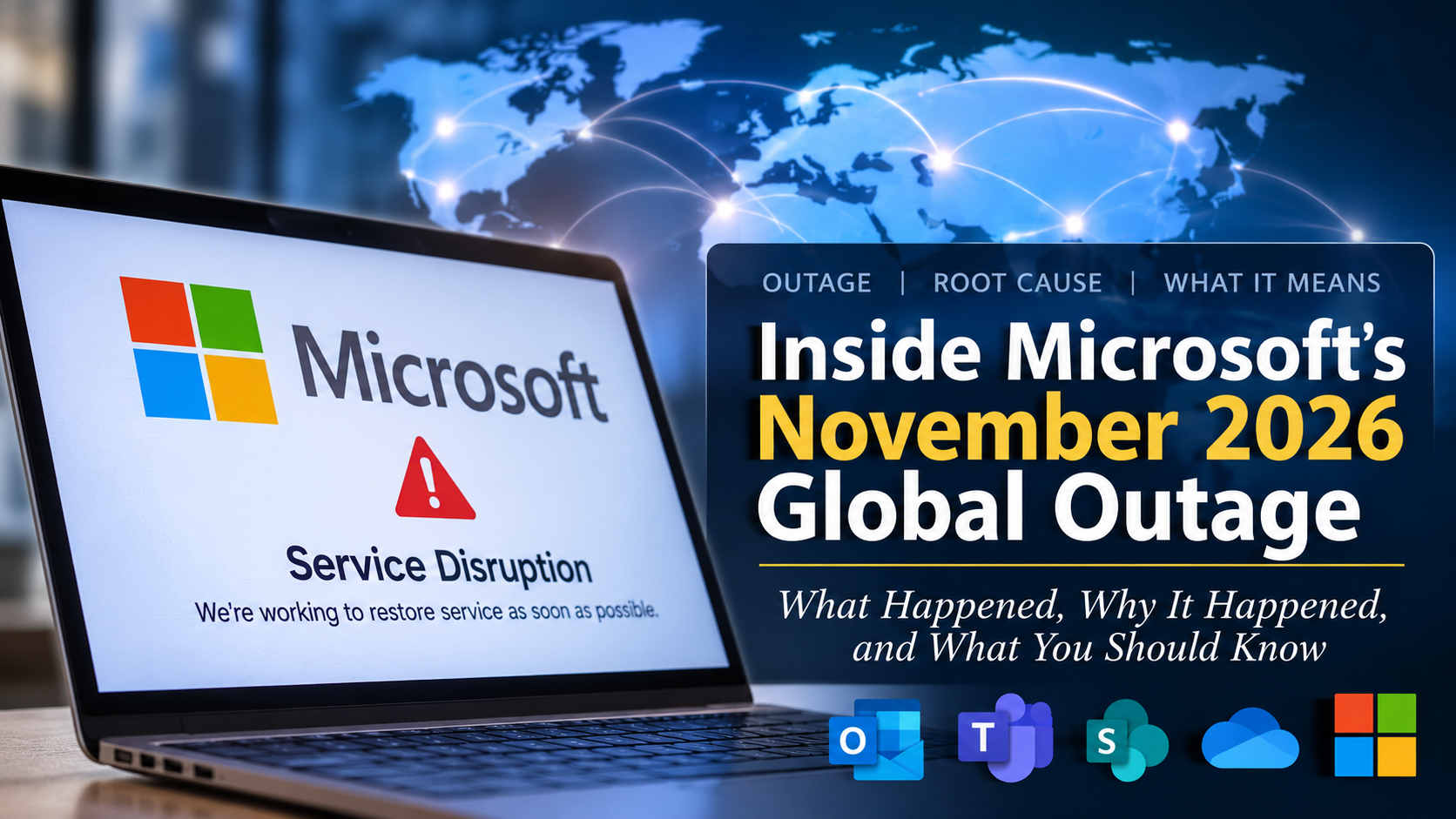
On November 12, 2026, Microsoft experienced a significant worldwide service disruption affecting Microsoft 365 and several of the services millions of people and organizations depend on every day. Outlook, Exchange Online, Teams, SharePoint, OneDrive, Copilot, and other connected services experienced varying degrees of disruption.
For businesses, government organizations, schools, and individuals, the consequences were immediate. Email became inaccessible, messages were delayed, and certain applications and connected services stopped functioning as expected.
But what actually happened?
Microsoft has now published a preliminary Post-Incident Report explaining the technical circumstances behind the outage. The report provides considerably more detail than the initial service announcements, including an explanation of how a previously undetected software defect, network traffic changes, and reduced infrastructure capacity combined to produce a cascading failure.
And perhaps most importantly, Microsoft has confirmed that this was not a cyberattack.
What happened?
Microsoft’s incident report identifies the event under incident numbers EX1550543 and MO1550821.
According to Microsoft, the disruption began Thursday, November 12, at 4:20 PM UTC and reached its official incident end time Friday, November 13, at 4:10 PM UTC.
That represents approximately 23 hours and 50 minutes between the recorded start and end of the incident.
The primary impact was on Exchange Online, the infrastructure responsible for Microsoft’s hosted email services. Most affected users were unable to access their mailboxes through Outlook or other email clients. Email delivery was also delayed.
Other Microsoft services experienced problems when their features depended on Exchange Online or the affected networking infrastructure.
Microsoft identified the following affected services:
- Exchange Online
- Outlook
- Microsoft Teams
- SharePoint
- OneDrive
- Microsoft Copilot
- Microsoft Defender
- Microsoft Purview
- Microsoft Intune
- Microsoft Planner
- Power Apps
- Microsoft To Do
- Power BI
- Microsoft Fabric
- Universal Print
An important distinction: Microsoft did not report that every feature of every listed service was completely unavailable. The severity varied depending on the service, region, connection method, and whether a particular feature depended on Exchange Online.
That distinction matters when evaluating what actually failed.
What caused the outage?
This is where Microsoft’s preliminary report becomes particularly interesting.
The outage was not attributed to a single server failing or an unexpected surge in ordinary customer traffic. Instead, Microsoft identified three contributing factors that combined to overwhelm its networking gateway infrastructure.
1. A software defect that had gone undetected for months
Microsoft identified a latent software defect involving lock contention inside an internal Windows process running on its Microsoft 365 networking gateway servers.
In simpler terms, competing processes were interfering with one another while attempting to access shared resources.
The resulting contention exhausted CPU and memory resources, eventually leaving affected servers unresponsive.
Microsoft explained that the underlying defect originated in a fix developed specifically for Microsoft 365 networking gateway servers. It explicitly stated that this defect and the associated fix did not apply to broader Windows deployments.
The concerning part is how long the change had been operating without an identified problem.
Microsoft said the change initially began deployment in July 2026 and was gradually rolled out worldwide over several weeks. It operated for more than three months without an observed issue.
Microsoft also acknowledged that its normal load testing failed to identify the defect because the traffic patterns and hardware configurations used in its testing environments did not adequately reproduce the conditions that triggered the problem.
The report specifically notes that the contention was worse on machines with more processor cores and newer hardware.
2. A change in network traffic increased the load
The second contributing factor involved Microsoft’s network architecture.
Microsoft maintains two independent and different network gateway systems designed to provide isolation and high availability.
Approximately 15 hours before the outage, Microsoft Teams failed over from its alternative networking gateway to the primary gateway, which also supported Exchange Online.
This was a normal operational failover, not an indication of an attack.
However, the change increased traffic on the primary gateway and altered its traffic patterns.
Under those new conditions, the previously undetected software defect became more likely to occur.
3. Nearly 14% of gateway capacity was already unavailable
The third factor involved infrastructure capacity.
Microsoft reported that nearly 14% of the networking gateway’s server capacity was already out of service because of an unrelated issue from the previous day.
Microsoft said the affected capacity was expected to return through routine maintenance and health processes.
On its own, the reduced capacity was not enough to cause an outage. Microsoft stated that sufficient capacity remained available.
However, when combined with the increased network traffic and the underlying software defect, the remaining infrastructure became vulnerable to widespread failure.
These three factors combined to create the conditions for the outage.
How the failure became a worldwide problem
One of the most significant details in Microsoft’s report is how the initial server failures spread.
Microsoft’s infrastructure uses automated traffic management systems to redirect users when servers become unhealthy or unavailable.
Normally, this is an important resilience feature. When one server fails, traffic can be moved to another healthy endpoint.
But during this incident, the process contributed to the problem.
As servers became unresponsive, traffic was redirected to the remaining operational servers. Those servers received additional traffic, encountered the same software defect, and also became unresponsive.
The process repeated.
Microsoft described this as a cascading failure.
The report states that within less than two hours, the previously unknown defect had spread across its fleet of affected networking gateway servers.
At the lowest point, more than 80% of those servers were unresponsive.
This does not mean 80% of all Microsoft servers worldwide failed. It refers specifically to the affected networking gateway server fleet.
Another important detail: Microsoft explained that separate infrastructure partitions, which would normally help contain failures, did not prevent the cascading problem from spreading globally.
This helps explain why a problem involving a particular part of Microsoft’s networking infrastructure had consequences across so many services and regions.
Why did recovery take so long?
Restoring service was not simply a matter of restarting the affected servers.
Microsoft explained that when servers were brought back online, they were immediately overwhelmed by waiting traffic and frequently became unresponsive again.
Its normal automated recovery processes were not designed to handle such a widespread unresponsive state.
Additionally, because the software defect had been introduced months earlier, Microsoft’s normal rollback mechanisms, deployment controls, and feature flags could not quickly reverse the change.
Microsoft eventually identified the problematic code path and developed an update that returned the connection-handling process to a previously known working state.
Rather than immediately returning all affected infrastructure to service, engineers removed groups of servers from service, applied the update, restarted them, and gradually returned them to operation.
This approach allowed Microsoft to validate stability while restoring capacity.
According to its timeline:
- 7:20 AM UTC, November 13: Microsoft identified a mitigation and began reverting the defective change on a portion of its infrastructure.
- 8:00 AM UTC: Server stability was confirmed on the infrastructure receiving the update.
- 10:00 AM UTC: Services began stabilizing, although capacity had not returned to normal.
- 11:35 AM UTC: Availability in Europe returned to healthy levels.
- 2:17 PM UTC: Global webmail availability returned to expected levels.
- 3:54 PM UTC: Most major access methods had returned to normal traffic levels.
- 4:10 PM UTC: Microsoft confirmed that customers were no longer experiencing active impact from the incident.
Microsoft continued monitoring the infrastructure and processing delayed email after the incident was marked as no longer actively impacting customers.
Was this a cyberattack or an AI-related incident?
No.
Microsoft explicitly stated that the incident was a technical issue unrelated to cyber activity or AI agents.
There is no basis in Microsoft’s published findings to claim that hackers caused the outage, that an AI system initiated it, or that artificial intelligence was responsible for the infrastructure failure.
However, there is an important cybersecurity development that followed the outage.
Cybercriminals used the outage to target Microsoft 365 customers
On November 16, Microsoft Security Research published a separate report describing a coordinated, high-volume phishing campaign observed on November 13.
Attackers impersonated Microsoft 365 service-health notifications and used the actual outage as the foundation for fraudulent emails.
The messages claimed that emails had been held during the disruption and would be deleted within 24 hours unless recipients took action.
Recipients were encouraged to click links labeled with phrases such as “RESTORE MESSAGES” or “TAKE ACTION.”
Microsoft identified several domains associated with the campaign, including:
- moments-notice[.]com
- planetmaison[.]com
- newbooker[.]com
- reallifeaccounting[.]com
Microsoft assessed that the activity was likely intended to steal account credentials.
However, the company also made an important distinction: its available evidence did not confirm that credentials were actually captured, that malware was delivered, or that accounts were subsequently compromised.
This is a good example of how attackers exploit real-world events. Rather than inventing an entirely fictional emergency, they take advantage of something people are already experiencing and use it to make fraudulent communications appear legitimate.
Microsoft recommends verifying service disruptions through the Microsoft 365 admin center rather than clicking links in unsolicited service-health emails.
What Microsoft says it has fixed
Microsoft’s preliminary Post-Incident Report identifies several completed recovery and protection measures.
These include:
- Returning the defective connection-handling code path to a previously known working state.
- Extending the email delivery window so delayed messages would not be returned as undeliverable.
- Adding infrastructure capacity as a proactive recovery measure.
- Implementing additional monitoring for traffic-redirection patterns and connection-handling health.
- Adding guardrails intended to prevent traffic distribution from creating another cascading failure.
The report also indicates that a comprehensive list of additional repair items was scheduled for inclusion in the final Post-Incident Report.
It is important to distinguish completed recovery actions from longer-term preventative measures. The preliminary report does not establish that every potential weakness in Microsoft’s architecture has been eliminated.
What this means for businesses and organizations
The Microsoft outage is a reminder that cloud computing does not eliminate infrastructure risk.
Organizations often operate under the assumption that major cloud providers have enough redundancy, capacity, and automated recovery mechanisms to prevent widespread service interruptions.
Microsoft’s own findings demonstrate that even sophisticated infrastructure can experience unexpected interactions between software defects, network traffic, hardware capacity, and automated recovery systems.
There are several practical lessons worth considering.
First, cloud availability should not be confused with business continuity.
If your organization depends entirely on Microsoft 365 for email, document access, scheduling, collaboration, and communications, an interruption can affect multiple business functions simultaneously.
Second, automated failover is not automatically fail-safe.
Redundancy and traffic redirection are important, but this incident demonstrates how automated recovery mechanisms can amplify a problem under certain conditions.
Third, organizations should have communication alternatives.
Businesses should consider how they will communicate internally and externally if their primary email and collaboration systems become unavailable.
Fourth, security awareness matters during outages.
Employees should be especially cautious of urgent emails claiming to restore messages, recover accounts, or prevent data loss during a widely reported service disruption.
Finally, organizations should understand their dependencies.
A business may use several different Microsoft products, but those products can depend on shared underlying services. Having multiple applications does not necessarily mean having independent infrastructure.
The bigger picture
Microsoft’s November outage was not simply an Outlook problem. It was a cascading infrastructure failure involving multiple contributing factors that combined to affect a substantial portion of the company’s Microsoft 365 networking gateway infrastructure.
The company’s preliminary findings are particularly noteworthy because Microsoft has publicly acknowledged that its testing did not identify a latent defect that had been present in production for months.
The incident also demonstrates why redundancy, isolation, realistic load testing, and recovery planning remain essential, even for the largest technology providers.
Cloud platforms are extraordinarily useful, and they allow organizations to operate at a scale that would otherwise be difficult to achieve. But they are still dependent on physical infrastructure, software, network architecture, and operational decisions.
The lesson is not that organizations should abandon cloud services. It is that organizations should understand what happens when the services they depend on become unavailable.
And when a disruption does occur, the most important thing is to separate confirmed technical findings from speculation.
In this case, Microsoft has provided a detailed explanation of what went wrong. The underlying failure was technical, the effects were widespread, and the company’s own investigation offers an important look at the complexity of maintaining modern cloud infrastructure.
Primary sources and further reading
The following sources are from Microsoft or contain Microsoft’s published incident documentation. They are the primary references used for this article.
- Microsoft — Preliminary Post-Incident Report, November 15, 2026. Incident IDs EX1550543 / MO1550821. This is the primary technical source for the outage timeline, root cause, server failures, and recovery actions.
https://ismg-cdn.nyc3.cdn.digitaloceanspaces.com/asset_files/external/microsoft-report.pdf - Microsoft Security Research — High volume phishing campaign uses Microsoft 365 outage lures to target multiple industry sectors, November 16, 2026.
https://www.microsoft.com/en-us/security/blog/2026/11/16/high-volume-phishing-campaign-uses-microsoft-365-outage-lures-target-multiple-industry-sectors-2/ - Microsoft — Service Health Status. Microsoft’s public service-status page for checking current service availability.
https://status.cloud.microsoft/ - Microsoft Learn — Service health and continuity. Explains Microsoft’s Microsoft 365 service-health communications, incident notifications, and historical availability information.
https://learn.microsoft.com/en-us/office365/servicedescriptions/office-365-platform-service-description/service-health-and-continuity
Editorial note: The technical findings described in this article are based primarily on Microsoft’s November 15 preliminary Post-Incident Report. Microsoft explicitly identifies that report as preliminary and subject to change. Its final Post-Incident Report should take precedence if subsequent findings revise any of these conclusions.